터미널에 다음과 같은 에러가 나타났다.
열심히 구글링 해 본 결과 사용하지 않는 onAfterSetupMiddleware 을 setupMiddlewares로 바꾸어 사용해주면 된다고 하여 바로 진행.
<해당 에러>
(node:24272) [DEP_WEBPACK_DEV_SERVER_ON_AFTER_SETUP_MIDDLEWARE] DeprecationWarning: 'onAfterSetupMiddleware' option is deprecated. Please use the 'setupMiddlewares' option.
[1] (Use `node --trace-deprecation ...` to show where the warning was created)
경로 : node_modules\react-scripts\config\webpackDevServer.config.js
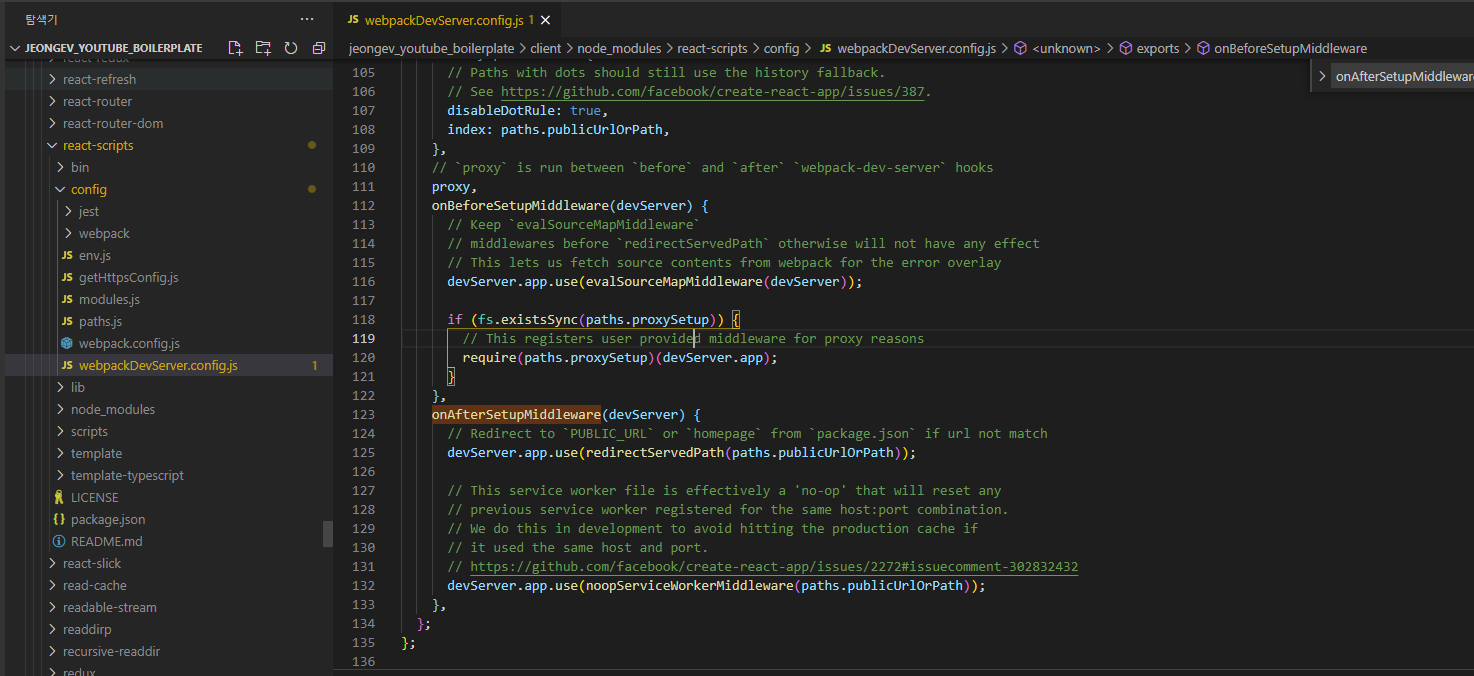
proxy 아래에 Beforce, After 두 함수를 아래껄로 변형해주면 끝!

setupMiddlewares: (middlewares, devServer) => {
  if (!devServer) {
      throw new Error('webpack-dev-server is not defined')
  }

  if (fs.existsSync(paths.proxySetup)) {
      require(paths.proxySetup)(devServer.app)
  }

  middlewares.push(
      evalSourceMapMiddleware(devServer),
      redirectServedPath(paths.publicUrlOrPath),
      noopServiceWorkerMiddleware(paths.publicUrlOrPath)
  )

  return middlewares;
},
'javascript > React' 카테고리의 다른 글
| [Vite] .env 파일로 환경 변수 관리 하기 (Feat. API Key) (1) | 2024.11.17 |
|---|---|
| [오류 해결] UnhandledPromiseRejectionWarning: SyntaxError: Unexpected token '??=' (0) | 2024.10.30 |
| concurrently 서버와 클라이언트 동시에 실행 (0) | 2023.02.12 |
| [오류 해결]internal/modules/cjs/loader.js:883 (0) | 2023.02.11 |
| react-router-dom URL로 페이지 접근하기 (0) | 2023.02.10 |